snappdf
View liveOpen-source PDF toolkit — merge, split, sign, scan and convert to Word or Excel — where every file operation runs in the browser, so nothing is ever uploaded.
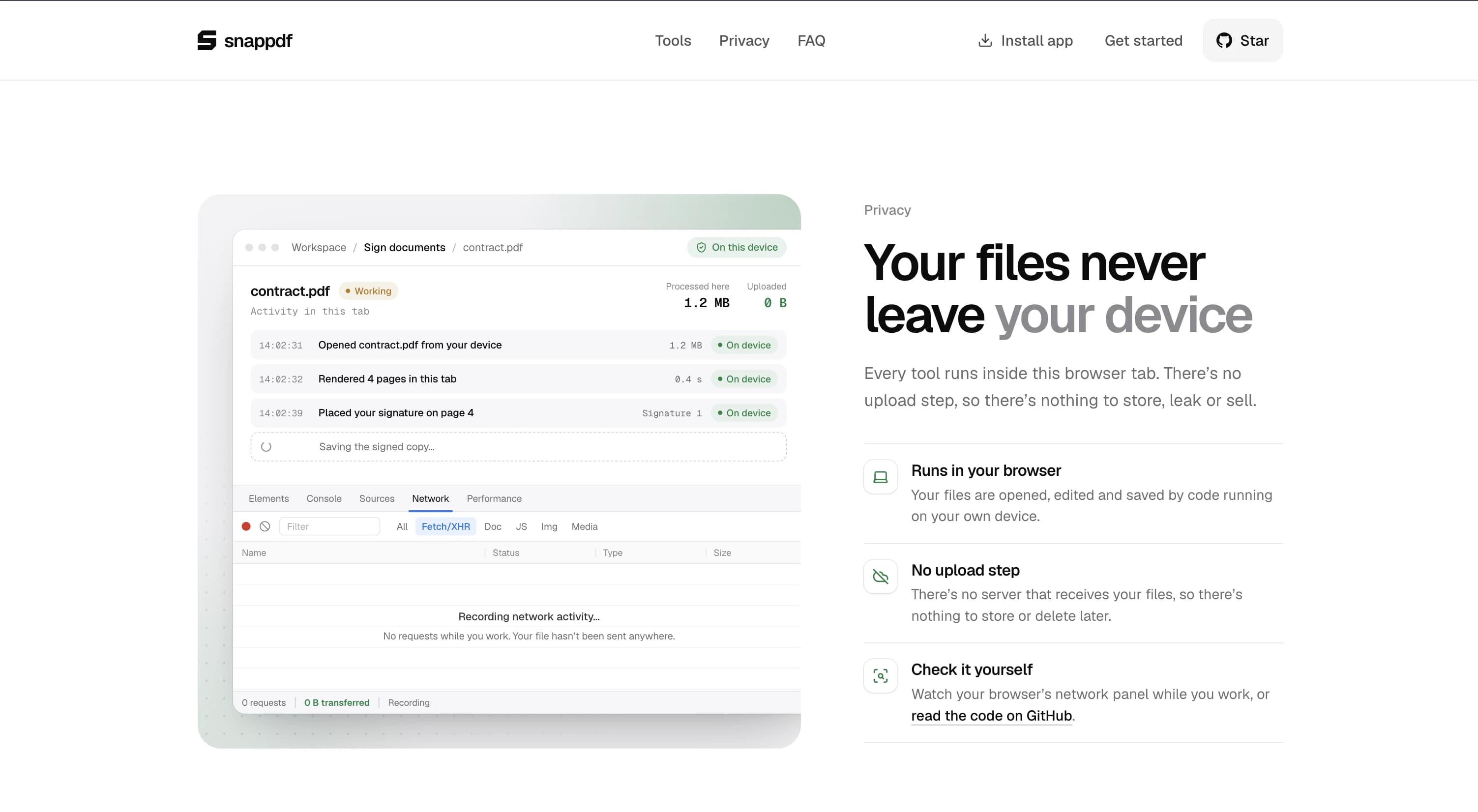
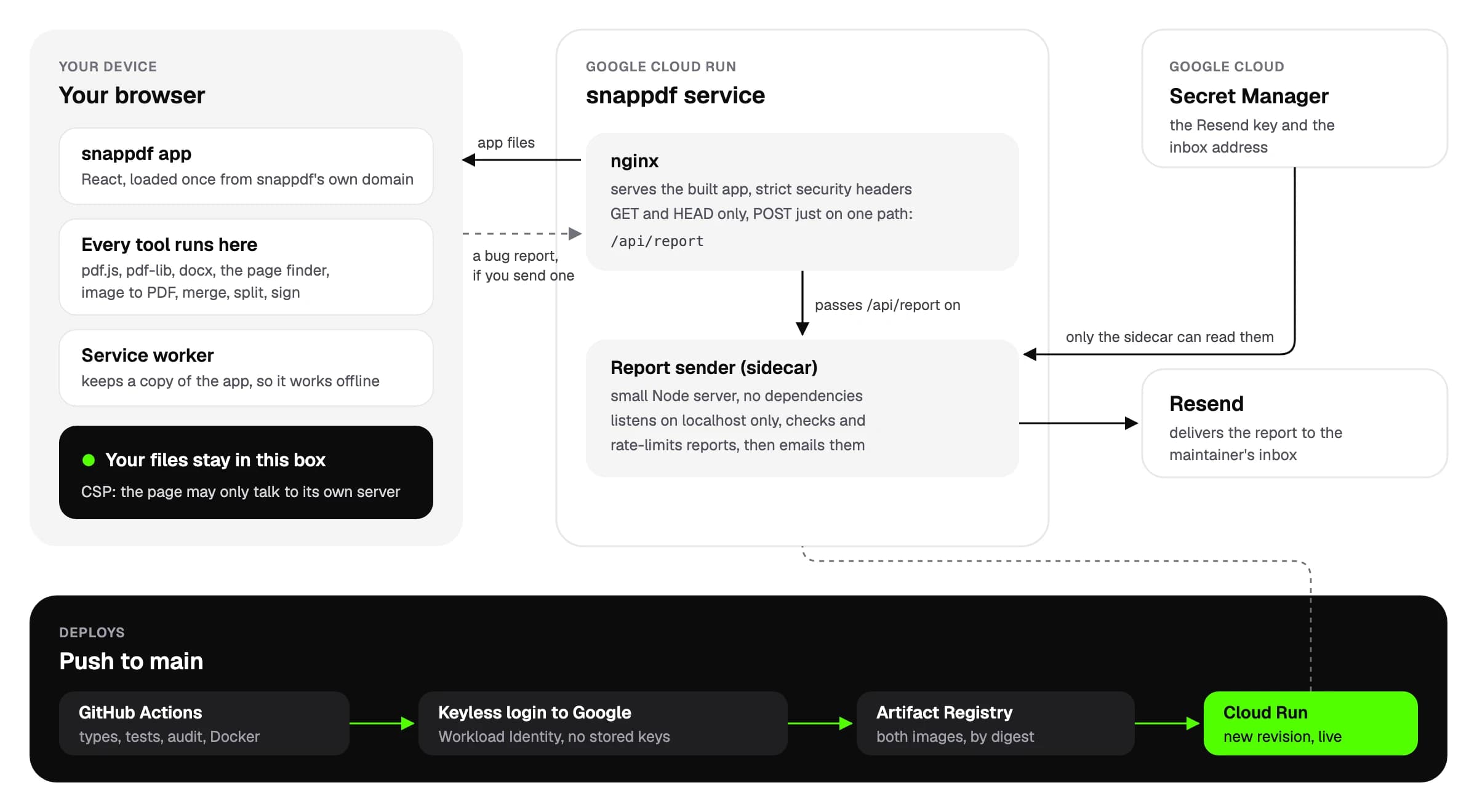
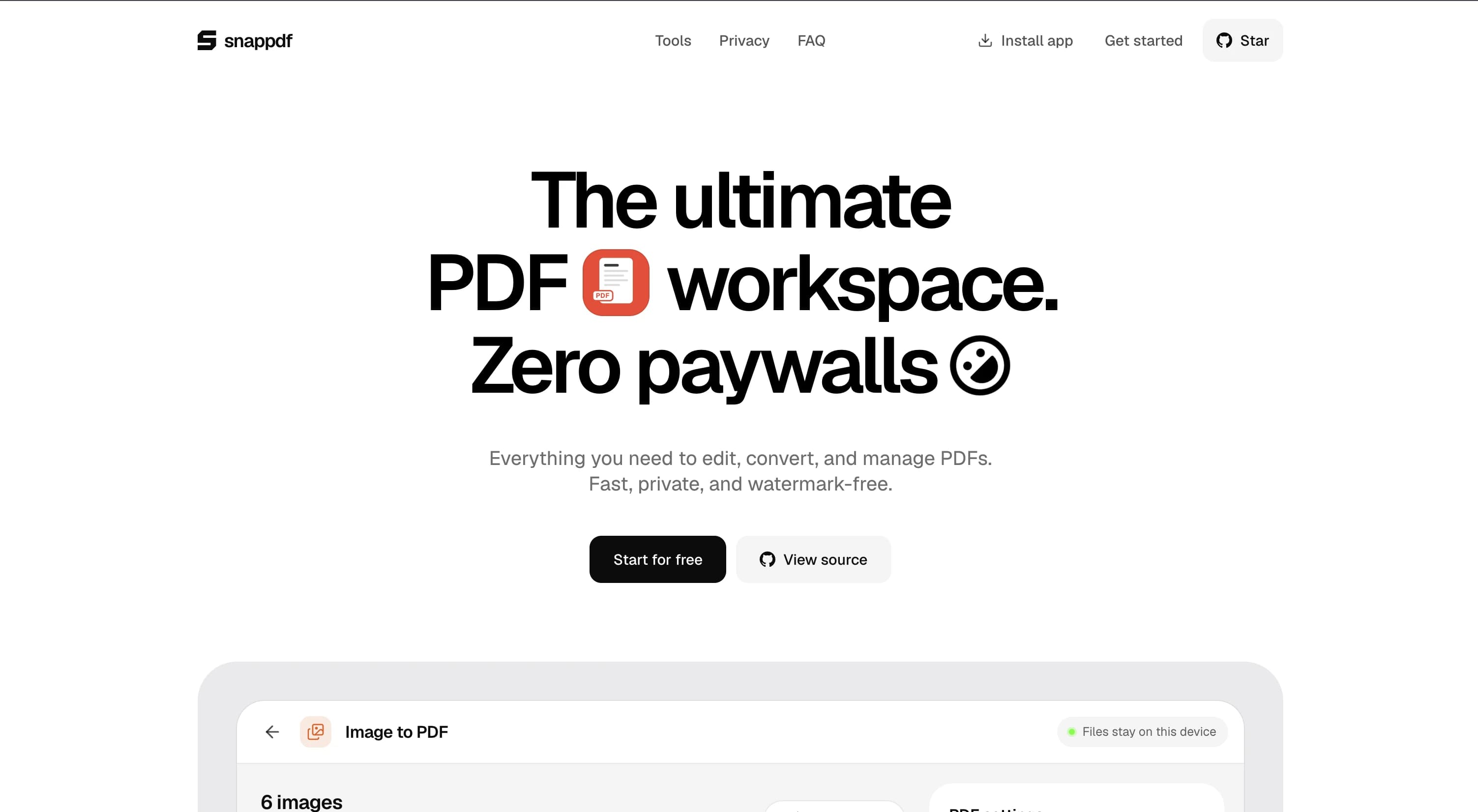
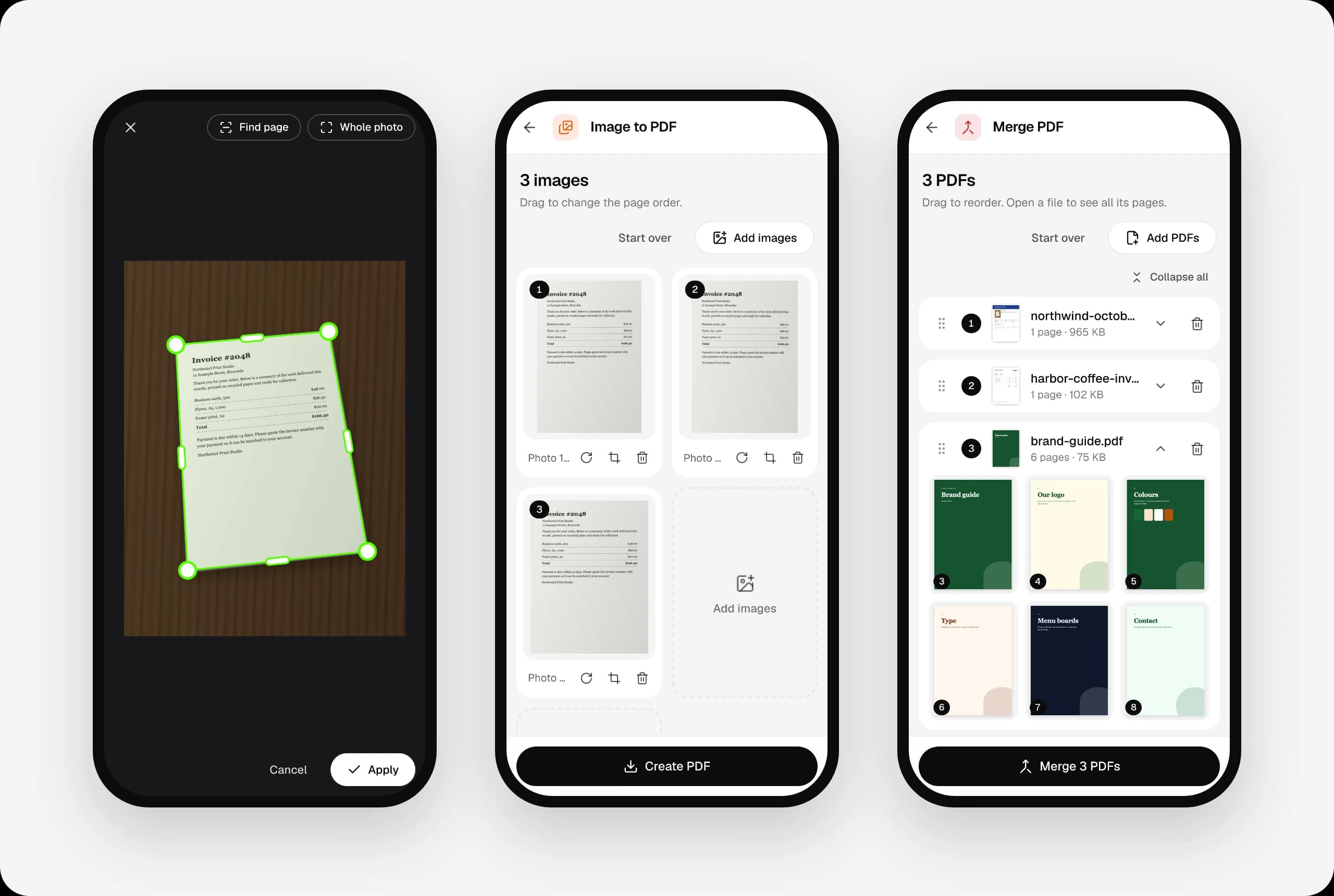
snappdf is a free, open-source PDF toolkit — merge, split, sign, scan and convert to Word or Excel — built around one constraint: no file ever leaves the browser. Every operation runs client-side with pdf-lib, pdfjs-dist and docx, including a camera scanner that auto-crops and straightens a photographed page, with HEIC support for iPhone photos. It installs as a PWA with a service worker, so it keeps working after the first load with no connection. I built a keyless CI/CD pipeline that type-checks, tests, audits and builds a Docker image on every pull request, then deploys straight to Cloud Run through GitHub Actions and Workload Identity Federation, with no service-account keys stored anywhere. The repo runs like any other open-source project, with branch protection, Dependabot and a CONTRIBUTING guide for outside contributors. The one thing that does touch a server is the in-app bug-report form, handled by a small Node sidecar scoped to its own secrets with no access to user files.
Technologies
- React
- TypeScript
- Vite
- Tailwind CSS
- Vitest
- Docker
- GitHub Actions
- Cloud Run
- Node.js